
Production Services ·
Planning a Conference Livestream in Kelowna
A conference livestream has two audiences sharing one schedule: the people in the room and the people joining remotely. KFS has supported hybrid conference production in Kelowna with cameras, house audio and a live platform handoff. These are the decisions an organizer should settle before the technical day.
Define the remote deliverable.
Decide whether remote viewers need a live program, a recording, presentation slides, questions from the room, remote speakers, captions or files for later editing. Each choice changes the technical plan. Name what must happen live and what can be delivered after the event.
Confirm who owns the streaming or meeting platform, who controls registration and invitations, and who has permission to start the session, record it and manage remote participants. The production team should be able to test those permissions before attendees arrive.
Plan cameras around the room.
Walk the venue with the run of show. Mark the lectern, panels, presentation screens, audience questions, doors and any place a camera or cable could interrupt the room. Camera positions need a clear view without blocking seating, staff movement or required exits.
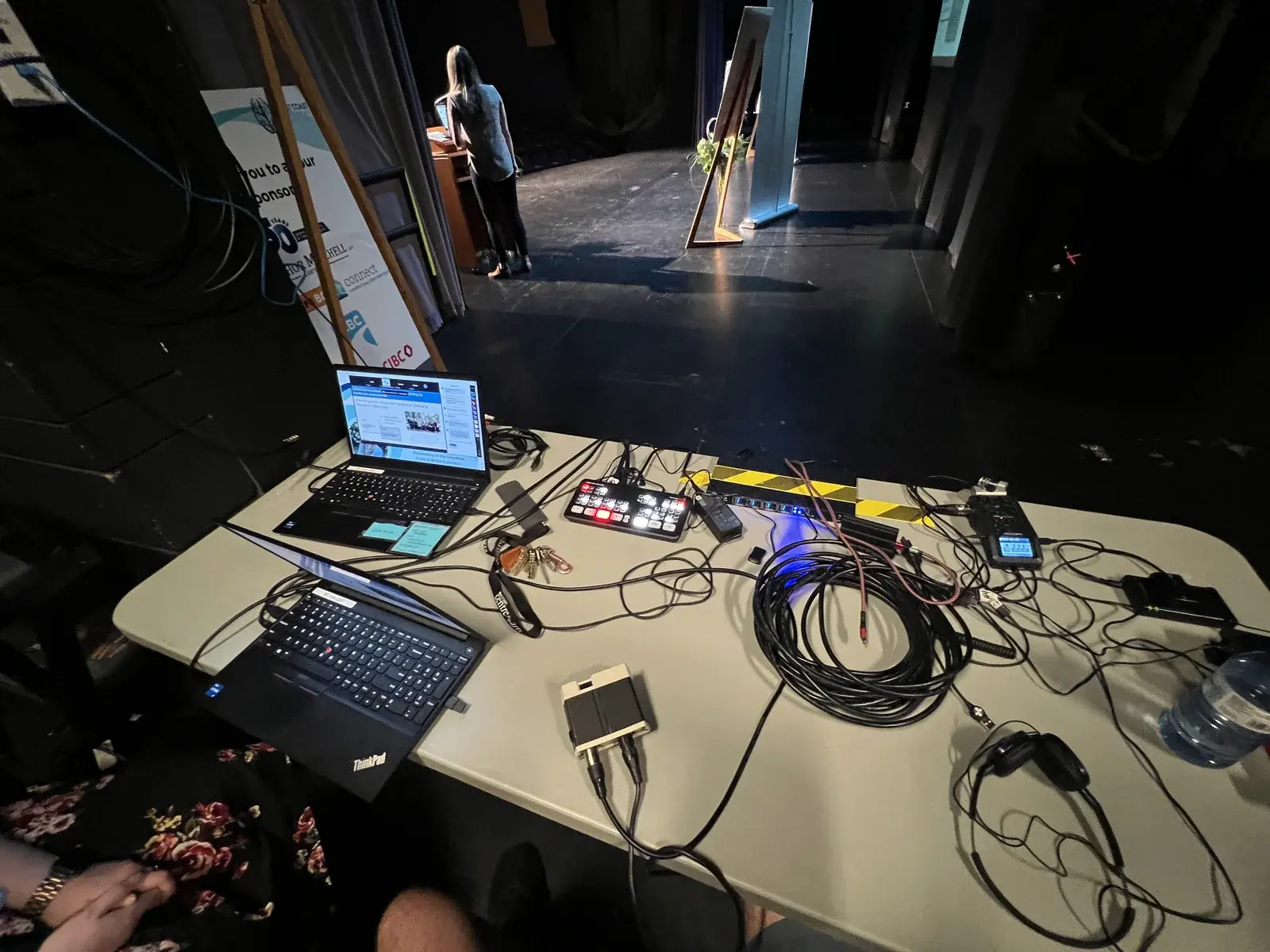
For the 2023 BrainTrust Canada conference in Kelowna, KFS combined camera coverage, house-audio patching, live-production routing and a Zoom handoff. The room still had to work for the ticketed audience while the same programme reached people outside the venue.
Start with clear speech audio.
List every source the remote audience must hear: lectern microphones, handheld questions, panel microphones, video playback, remote speakers and room announcements. Confirm who operates the venue system and what feed can be supplied to production. A loud room does not automatically create a clean online mix.
Test the actual microphone and playback paths, not only the connectors. Remote speakers may also need a controlled way to hear the room without echo or feedback. Monitoring and any required local recording should be agreed before the doors open.
Test the complete signal path.
A useful test follows the same path as the event: camera and presentation feeds, audio, switching, the streaming computer or encoder, platform access, network, remote monitoring, recording and power. Run it from the room with the equipment and account that will be used on the day.
Agree on the fallback as part of that test. Depending on the event, it may include a local recording, a spare audio path, an organizer who can address the room, or a prepared message for remote viewers. The fallback should match the importance and timing of the session rather than being improvised after the feed stops.
Send the event brief early.
Send the event date, venue, access times, room plan, run of show, presenter and panel count, microphone plan, slides and playback needs, remote speakers, platform, captioning requirements, recording expectations, final file deadline and venue AV contact. Include the venue's network rules and any test windows already available.
KFS can connect that brief to the room, crew and technical path before the event schedule hardens. Review event recording and livestream production, then send the run of show and delivery requirements while there is still time to test them.
